
JotTek provides Secure Hash Algorithim 256 (SHA-256) Checksums for manuals, drivers and firmware upgrades to verify that the version you have is original and not corrupt after downloading.
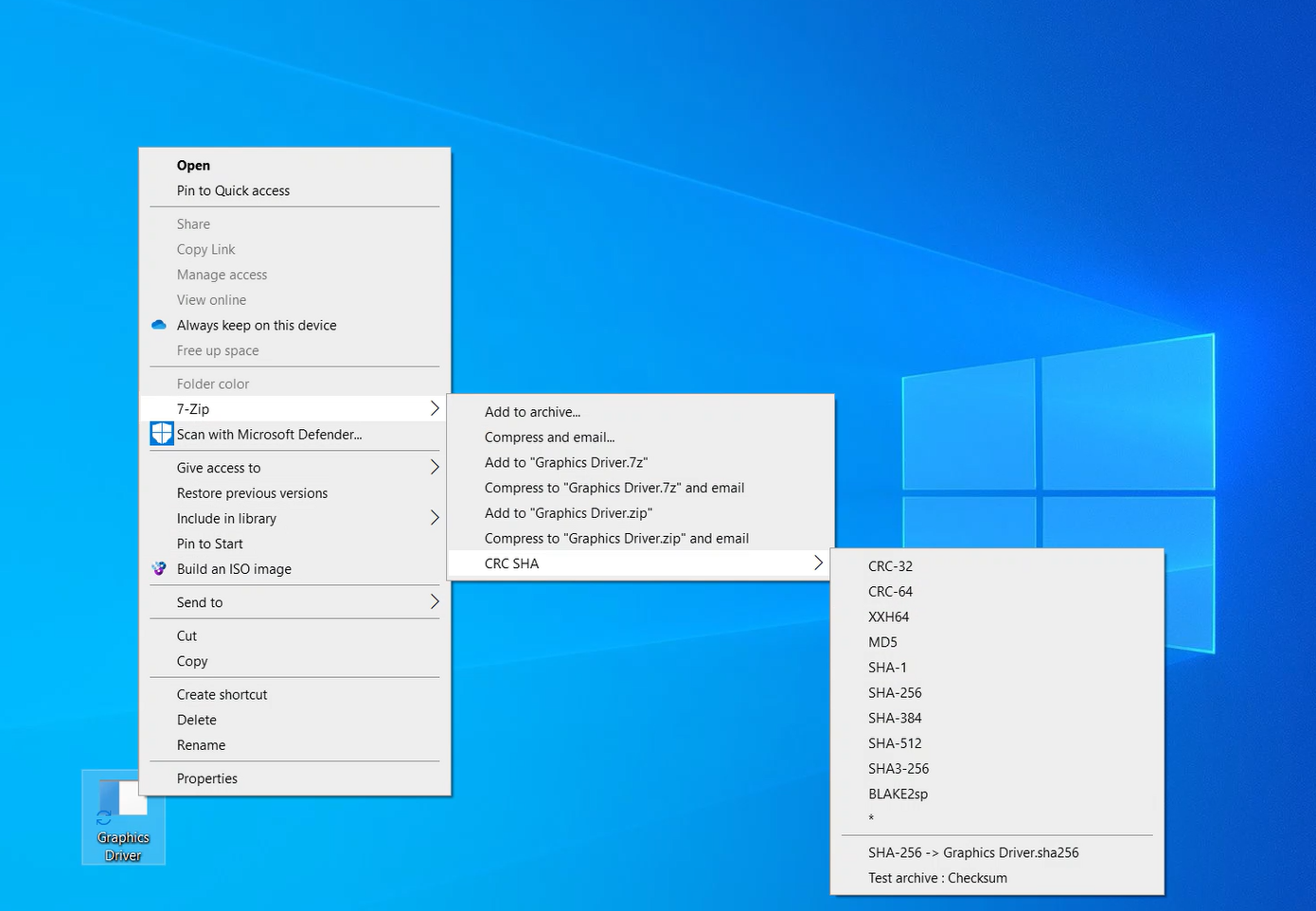
One way to identify the SHA-256 checksum of a file is by using a file management program like 7-Zip and right clicking on the file. 7-Zip is also popularly known as a file archiver with a high compression ratio.
Additionally, you can view SHA-256 checksums via the Command Prompt on Windows 7 and later.
Windows 2000, ME and XP are not capable of calculating SHA-256 checksums via the command prompt, and Vista is only limited to SHA-1, which JotTek does not list.
Older cryptographics like SHA-1 and MD5 are prone to possible same-hash collisions, making SHA-256 the current recognizable industry standard. For a permanent database like JotTek, SHA-256 was chosen for file verification.
Since Windows does not have a GUI-based verification system, 7-Zip is recommended for more convenient calculation over the command prompt. 7-Zip is faster and allows you to calculate newer cryptographics.
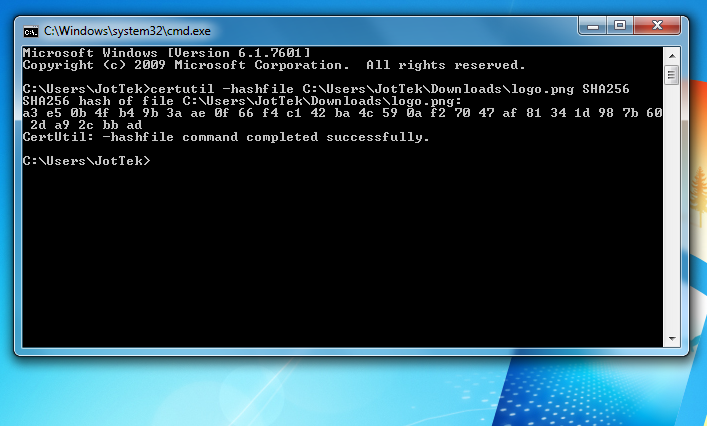
certutil -hashfile C:\folder\file SHA256You can then compare the checksum listed onto JotTek to determine the integrity of your version. Every checksum listed onto JotTek is verified from the manufacturer.
To adjust the pasted code to your desired path in Command Prompt, you can use the arrow keys to navigate to the section you want to edit.